Reel Generator
A portfolio reel cut live in the browser from the work on this site, new on every visit
The reel at the top of the homepage is edited in the visitor's browser, not exported as a video. Each visit gets a new cut of shots from these case studies, timed to Ed's own music, with video walls, a re-roll button, saved cuts, download and fullscreen.
Every shot's label links to the case study it came from, so the reel works as a way into the portfolio and not only as a clip about it.
The reel at the top of the homepage is not a video file. When the page loads, the browser picks shots from a pool built from the case studies on this site, puts them in an order, sets the cut points to one of Ed’s own tracks, and plays the result. Reload the page, or press the re-roll button, and it cuts a different reel.
Re-roll for a new cut. Turn the music on. Save a cut and bring it back. Download one pass as a video file. Go fullscreen and ask for a kind of work: 3D product, sports, AI, billboards. Click the label on any shot to open the case study it came from. The live reel is on the homepage.
Every Visit Cuts a New Reel
Press the re-roll button, or R. The frame on screen whips off, the new cut's first shots pass through full frame, and the reel lands on shot one. The cut is numbered from its seed (No. 4821 · 18 shots), and a timeline under the buttons shows one segment per shot, sized by how long it holds, with the live segment filling as it plays. The next cut is built in the background, so its frames are already loaded when you ask for it.
Vertical and Square Work Plays as a Wall
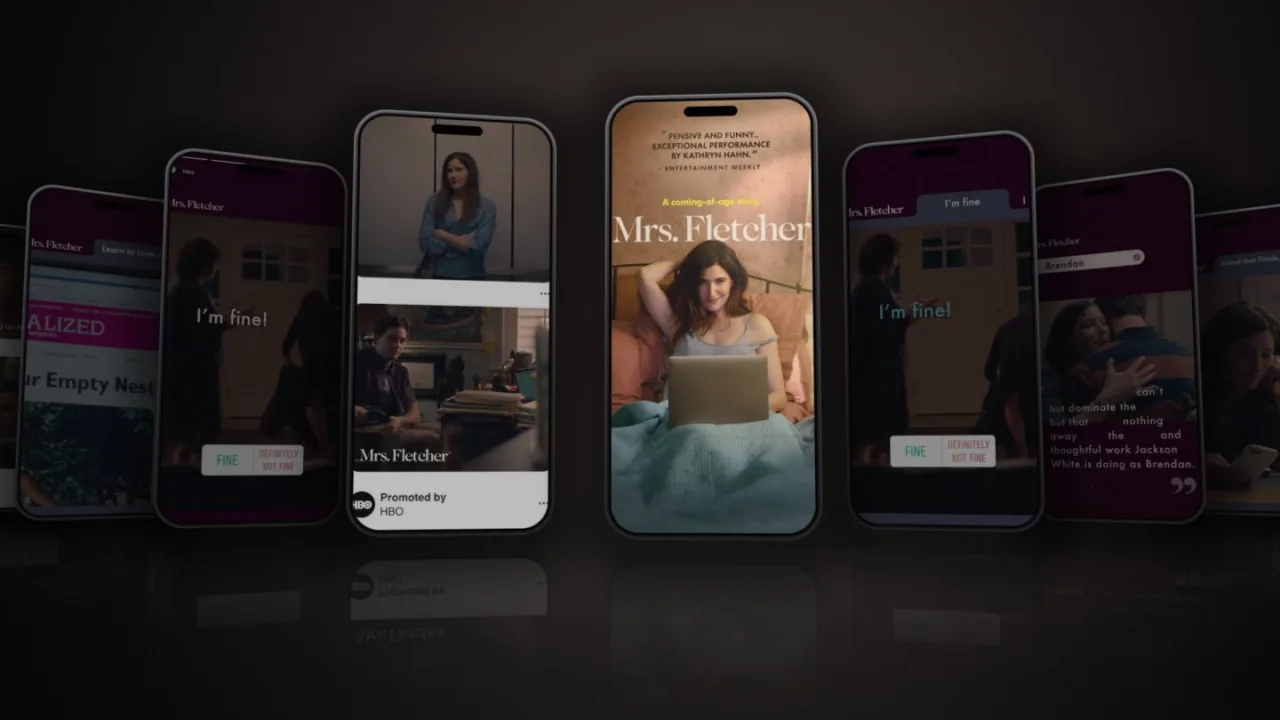
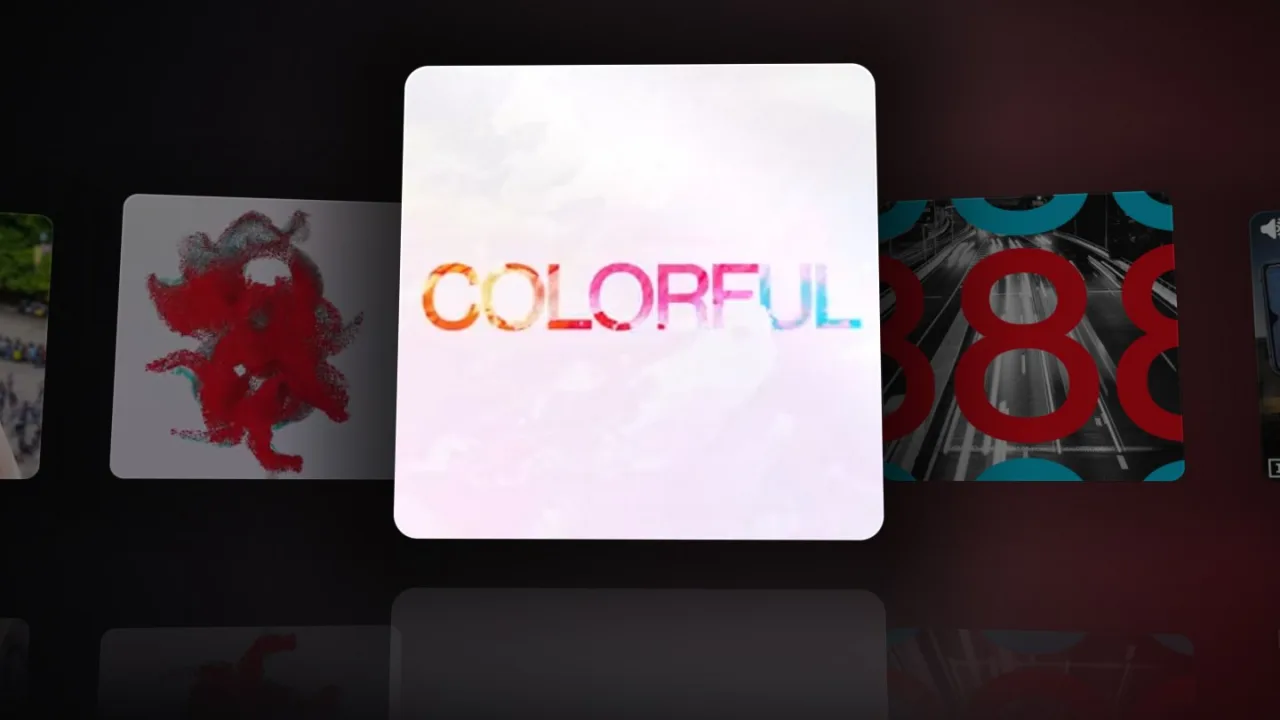
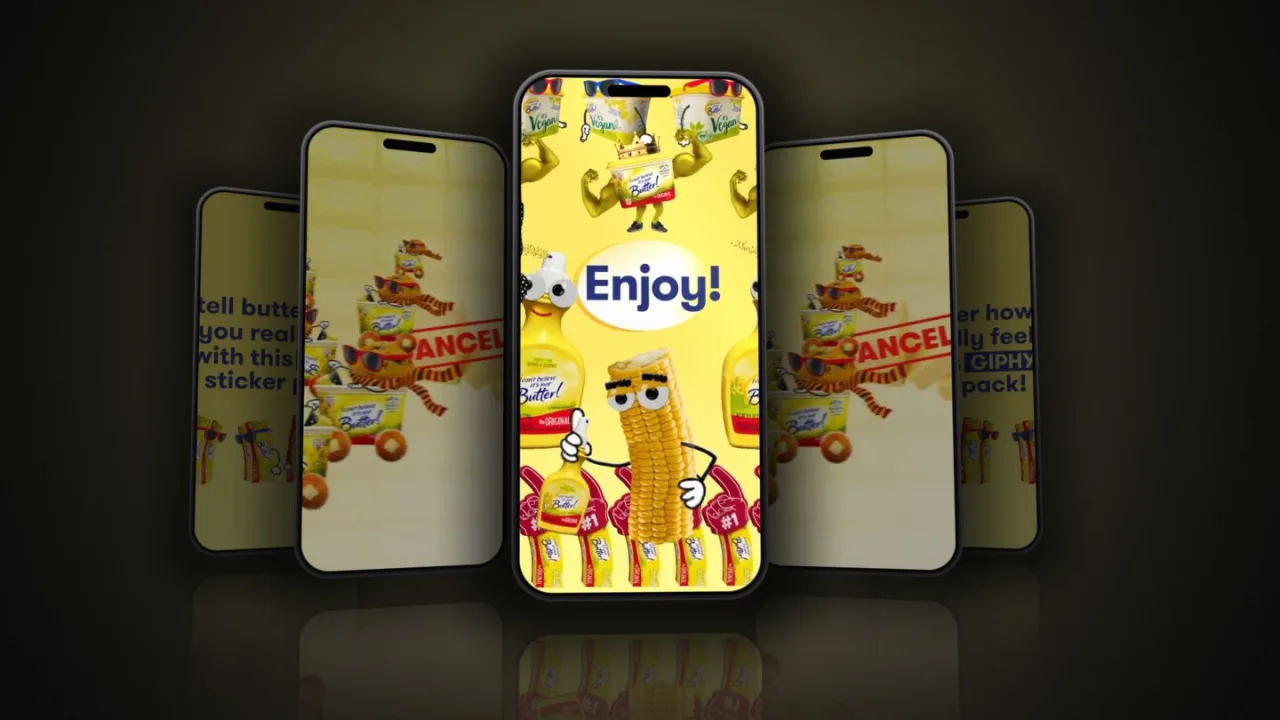
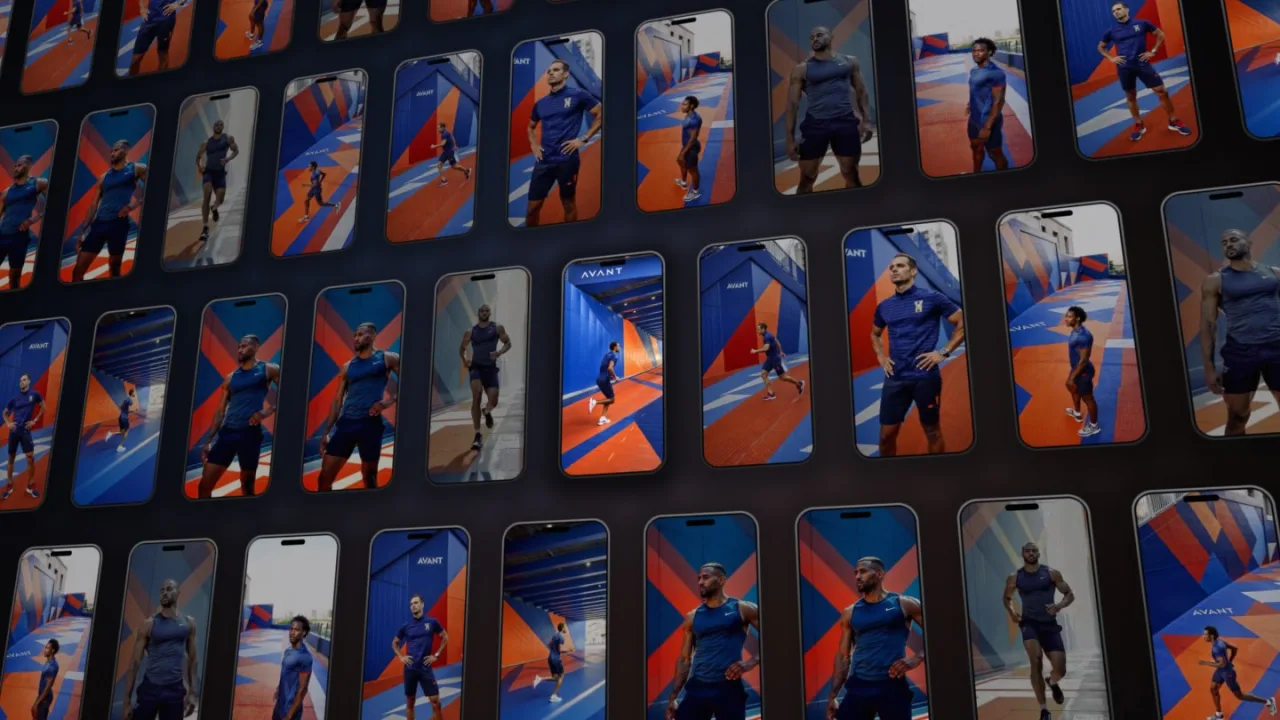
Phone-shaped and square work does not fit a 16:9 frame. When one of those shots comes up, the reel draws it in 3D with WebGL2: the shot itself up front, and the rest of that project's vertical or square pieces moving around it. A project's other pieces are packed into one tile sheet, so a wall of dozens of pieces still costs two video decodes. A move is picked each time a wall comes up.
Phones get feed, reveal, parade, closeup, spotlight, ring, trio and echo, which repeats the shot when a project has no other vertical pieces. Square posts add bento and grid, and use the others as cards. Cubes is the one scene made for a single piece of work. Phones are drawn as current 19.5:9 screens with a bezel, a camera island and a soft shadow.
A thin wall repeats a clip at different in-points, so repeats do not start in step, and each tile’s start point can be set by hand in the trim tool. Once a move has landed, the camera keeps drifting slowly until the cut. Walls stay occasional, at most about one shot in every four and a half and never two in a row, so they read as a change of pace.
How a Cut Is Built
Four stages between page load and the first frame: a pool of shots, a seeded pick, a plan for how long each shot holds, and a sequencer that plays it. The artifacts below are real: a pool entry, and one cut (No. 4821) picked and planned by the live code.
-
A pool of hand-trimmed shots
The pool is one JSON file. A build script reads the hand-picked edit list and every video the case-study pages embed, finds the most active moments with scene detection, ranks clips by motion, and tags each shot with its project, client, year and type of work from that case study's own frontmatter. Ed then trims each shot in the trim tool, and a confirmed shot plays from its own pre-cut clip.
{ "id": "videos-oneplus-teaser-fast-3.03333", "src": "/media/reel/videos-oneplus-teaser-fast-3-03333.mp4", // the confirmed clip "source": "/videos/oneplus/teaser-fast.mp4", "sourceIn": 0.7, "dur": 4.87, "label": "OnePlus — teaser fast", "project": "oneplus", "groups": ["Product", "Social", "VFX"], "energy": 0.91, "confirmed": true, "wall": "oneplus:sq", // plays as a wall of OnePlus posts "wallIn": 0.7 } -
A seed picks and orders 18 shots
The same seed always gives the same cut. The picker draws shots in proportion to a weight, which comes from motion energy, a small bonus for hand-picked shots, and a heavy discount for anything shown in the last six reels of the session. It then arranges them like an edit: it opens on a hand-trimmed shot and leans to a long one, never repeats a project back to back, caps how many shots one project can take, uses a source file once, and follows a rhythm of wide first, a run of quick cuts in the middle, a long shot last.
# Shot Pace Plays as 1 BarkBox — toys long clip 2 Boscov's — TVC long clip 3 MoneyLion — labs checkout mid clip 4 Apex Ascend — light lines short clip 5 BARK — madagascar 3d hero short wall 6 AppleTV+ — potw roy season short clip 7 BARK — social content short wall 8 IFA keynote — the particle wave short clip -
Holds are planned in whole beats
With music on, every hold is a whole number of beats, 2, 3, 4, 6, 8, 12 or 16, whichever is nearest the shot's own length. Odd counts are penalised so cuts land on the bar. A hand-trimmed shot never holds past its out-point, and a wall aims for about 4.6 seconds. Silent, a shot holds for exactly the length Ed trimmed it to.
# Shot Trim Silent On the beat 1 BarkBox — toys 3.33 s 3.33 s 6 beats · 2.83 s 2 Boscov's — TVC 3.10 s 3.10 s 6 beats · 2.83 s 3 MoneyLion — labs checkout 3.80 s 3.80 s 8 beats · 3.78 s 4 Apex Ascend — light lines 2.23 s 2.23 s 4 beats · 1.89 s 5 BARK — madagascar 3d hero (wall) 1.56 s 4.60 s 8 beats · 3.78 s 6 AppleTV+ — potw roy season 3.00 s 3.00 s 6 beats · 2.83 s 7 BARK — social content (wall) 3.67 s 4.60 s 8 beats · 3.78 s 8 IFA keynote — the particle wave 2.20 s 2.20 s 4 beats · 1.89 s All 18 shots 63.6 s 55.3 s -
Two videos and one clock play it
Two stacked video elements trade places. The next shot starts playing invisibly 0.3 seconds before its cut, so the first frame on screen is already moving. With music on, the audio element is the master clock and every cut is scheduled against it. A shot that arrives late is shortened so the next cut still lands on the beat. The default is a hard cut.
Transition What happens cut Instant swap, on the beat. dissolve The incoming shot fades in on top of the outgoing one, which holds its frame underneath. The midpoint of the fade lands on the beat. dip The outgoing shot fades to black and the incoming one fades up from black on the beat.
What a Visitor Can Do
Everything sits in one small panel at the top right of the hero, so it stays clear of the name and the filter pills. Fullscreen adds a search box and the full controls.
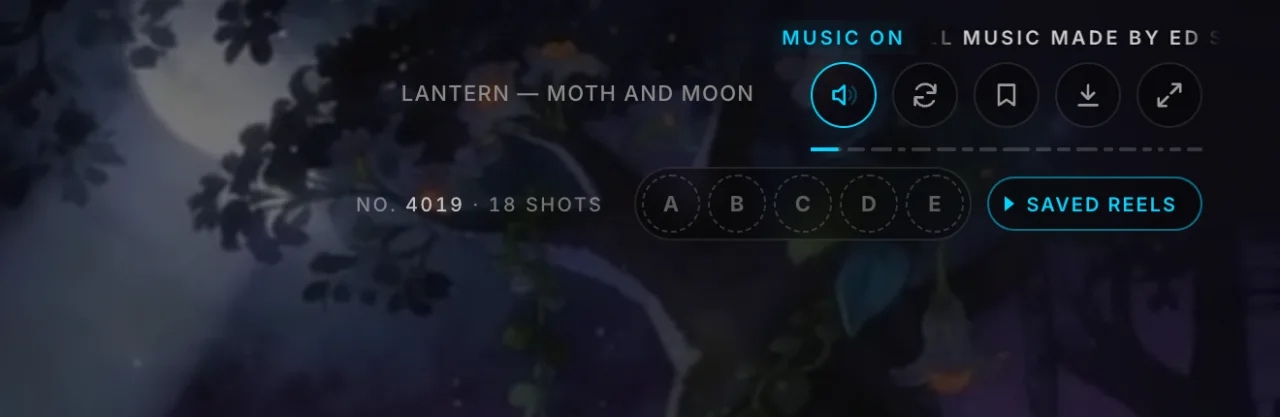
Shot label. Names the shot on screen and links to the case study it came from.
Music. Plays one of Ed’s tracks. Hovering the button runs the credit beside it: “All music made by Ed Sergi, aka Mel G”.
New reel. Cuts a fresh reel (R).
Save. Files the current cut in one of five slots, A to E, kept in the browser. Click a slot to bring a cut back, shift-click to clear it. “Saved reels” opens the slots.
Download. Records one pass of the cut in real time, with the music if it is on, and saves it as MP4 where the browser can write one, WebM otherwise.
Filter pills. The pills at the bottom right of the hero also set the pool, so the next cuts only use the case studies in that group.
Search. Type what you want to see and the reel recuts from matching shots. Words are matched against a synonym list first, then loosely against each shot’s label, client and tags.
Chips. Nine types of work (Social, VFX, Product, 3D & CG, Live & OOH, AI, Entertainment, Sports, Brand) that can be combined.
Transition. Cut, dissolve or dip (T).
Music. On by default unless it was switched off earlier in the session. The track and its tempo show at the lower right, with a next-track control.
Shareable cut. The address bar holds the cut’s seed, filters, transition and track, so a copied link plays the same cut from the same pool.
Keys. R new cut, S save, 1 to 5 saved reels, T transition, M music, Esc to close. The controls hide after a few still seconds so the reel reads full-bleed.
A Trim Tool for Every Shot
The reel is only as good as its shots, so each one in the pool is trimmed by hand in a local tool Ed built for it. For every shot he sets the in and out points on a timeline, swaps in a different source if needed, and for vertical and square footage chooses Fit, the whole picture over a blurred copy of itself, or Fill. Confirm cuts that shot to its own clip, exactly in to out, with the first and last frames held either side so a cut never shows a stray frame of the next scene. The site reads the pool at runtime, so a reload plays the new cut.
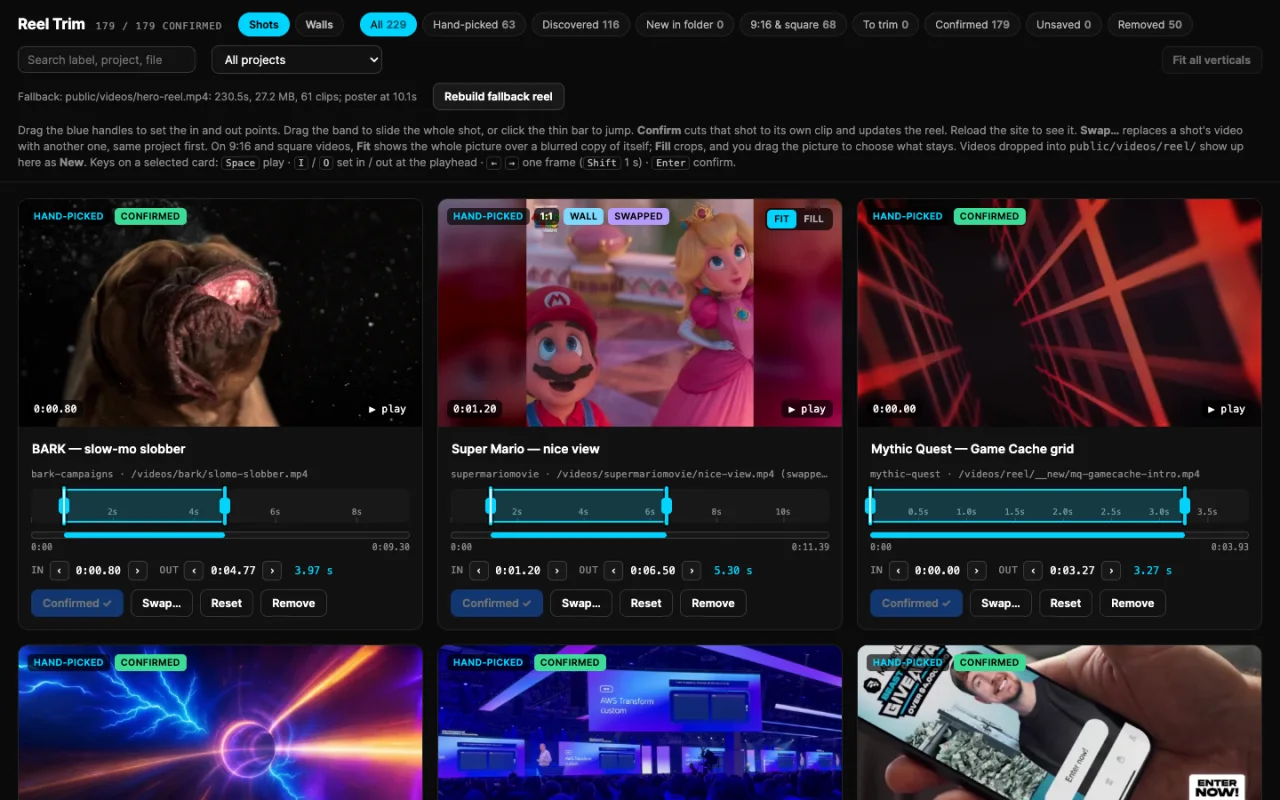
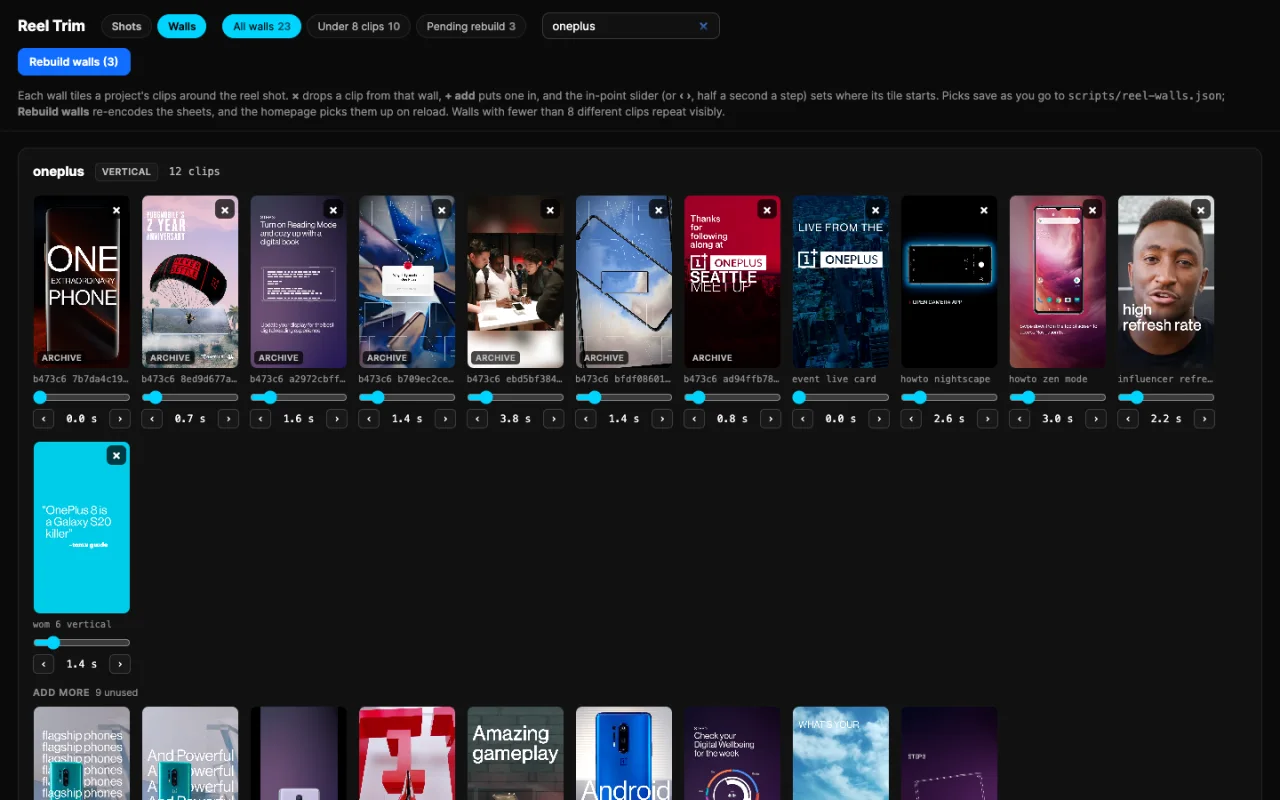
The same tool rebuilds the baked fallback reel, the plain video that visitors without JavaScript or on a data-saver connection get instead. It is a small Node server that calls ffmpeg and Python, with nothing to install.
Every track in the reel is Ed’s own, credited in the player as “All music made by Ed Sergi, aka Mel G”. Each track carries its tempo and the position of its first downbeat in a small manifest, and the planner uses those to land the cuts on the beat. Music starts only from a click or a key press, because browsers require one. It is off on the hero, where it would sit under the page copy, and comes on in fullscreen. When a track ends, the next one starts.
A portfolio reel is usually one exported video. This one is made from the portfolio itself: every shot comes from a case study on this site, every label links back to it, and the visitor chooses what gets shown. A reel that is never the same twice also shows the work it is made of, motion design, VFX, 3D, AI and music, as a working piece of creative technology and not a description of one. New work reaches it when its videos are added and the pool is rebuilt.
Without JavaScript, or with data-saver or a 2G connection, the hero plays the baked fallback video and the controls are off. With reduced motion set, the reel does not autoplay, the poster stays, and the buttons still work when pressed. Where WebGL2 is not available, walls play as flat clips. Where the browser cannot record, the download button is hidden.
The reel is cut live, so there is no file to hand over: Download records a real-time pass in the visitor’s open tab, and a one-minute cut takes a minute to record. Saved reels live in the visitor’s own browser, not an account. Shot counts and the track list change as the pool is edited.
Project Elements
Have a Project in Mind?
Animation direction, VFX and creative technology. Message me on LinkedIn or get in touch.